
Ah, the promise of the Paperless Office, replacing all paper with electronic files. I haven’t heard as much about it lately.
Personally, I think the Paperless Office is a useful goal, but perhaps at something less than 100%.
Guy Stevenson
There are many pros to digital documents:
- Save time because there are no meaningful mailing or transit delays.
- Store easier because they avoid the file cabinet farm, physical document handling, and document deterioration.
- Share easier internally, with clients, and with others.
- Can be edited and reformatted easier.
- Avoid the cost of paper, ink, printers, copiers, and document storage.
- Are better for the environment (although the paper industry has posted some interesting dissenting opinion about this, but that is a blog for another day)
- Are more searchable (assuming you scanned it in editable text or you have a sophisticated image search capability).
- Are more easily incorporated in to automated work flows.
- Better support field work, going mobile, and the work-at-home trend.
- Reduce paper clutter which presents a more professional and efficient work environment.
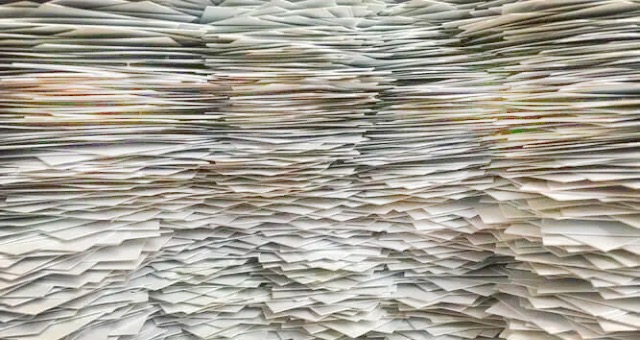
Likewise, there are many pros to using paper documents:
- Are easier on the eyes and mind than documents on screens. For me, this is especially true for long documents. I can readily make margin notes, highlight text, flip back and forth, and suffer less eye fatigue than with digital documents.
- Do not require power, computing devices, networks, or connectivity.
- Do not present the normal computer distractions (e.g., social media interruptions, pop-ups, visual and audible notifications, texts, spam, malicious software)
- Avoid the initial and recurring costs of digital documents. Scanning, tagging, and organizing legacy and current documents in to folders takes time and effort. Networks require set up, connectivity, training, maintenance, and IT skills.
- Readily support transactions that still require an actual signature.
- Provide the weight of paper; that is, some documents just seem nicer to us in paper form (e.g., thank you notes, invitations, birthday cards, diplomas, journals).
- Provide better support for some large format documents (e.g., architectural drawings, construction drawings, posters, maps, newspapers)
- Provide better support for some small format documents (e.g., claim checks, raffle tickets, garage parking tickets, id cards, receipts).
- Avoid cyber attacks and the associated cost of constant monitoring and updating of hardware and software.
- Avoid those elusive savings questions. No one seems to pass the lower costs of digital to consumers. Music is the big example. The cost of the physical media itself (e.g., vinyl records, album covers, tapes, CDs) and its transportation costs have gone down, down, down to almost nothing (e.g., .mp3, .wav files). But the price of an album of music has not. Someone, other than the consumer, has pocketed all the savings.
- Provide a pathway to eventual automation. Those paper documents, what I call “forms” embed many things (e.g., work instructions, work processes, work packages, job aids, procedures, policies, best practices, internal controls, corporate governance) that you may ultimately desire to automate.
Forms, a Special Case
That last bullet caused me to rethink my website menu and so, I have added a Tools menu item to include forms that you might find helpful on this eventual path to automation.
I didn’t include a Tools menu previously because I didn’t want to deal with the inevitable criticism of being a Luddite, stuck in the old ways.
Yes, these forms presume paper printouts or a semi-digital process.
By semi-digital I mean that fat area of the pie chart in which documents aren’t paper, but they aren’t full-on digital. We don’t talk much about this area, but it looms. You know the processes: (1) “File Open / Print / Fill In by Hand / Scan / Save / Send Electronically or the more sophisticated (2) “File Open / Fill in by Keyboard / Save / Send Electronically”.
Of course, forms should ideally be in digital format, start to finish and in between.
Guy Stevenson
But not everyone is there yet, especially small businesses. I imagine even the most automated firms still have some paper forms lurking about.
Having paper forms is not necessarily effort lost to some prehistoric time because the “blanks” on your form become the “fields” in your future automated system design. You shouldn’t have to think so hard about system design if you already have processes supported by good forms. Just review and validate your forms, right? It may not be that simple, but it’s not that complicated either.
In Conclusion
So back to the beginning, I’ll probably not see 100% paperless in my lifetime. I’m ok with that, not that anyone asked my opinion.
Until then, a more reasonable goal might be 50% paperless. And that’s in the total organization. Some areas, such as production, lend themselves to something approaching 80% paperless because we tend to invest in automated systems in areas that make our money.
Cheers!
Subscribe below to receive notifications of new posts by email. Your contact information will not be shared with others without your permission.
 Petrichor Consulting, LLC