
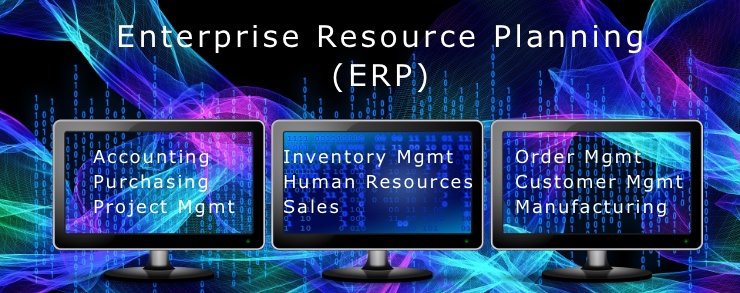
Enterprise Resource Planning (ERP) is an attempt to automate multiple organization functions (e.g., Accounting, Purchasing, Human Resources) with a single integrated software solution. Having participated in a few ERP implementations, I’ve compiled a list of things you should know.
- Beware most implementations go over schedule and over budget. Your ERP provider will argue this is your fault; i.e. you planned poorly or you permitted scope growth (and associated cost and schedule growth). Your CFO will see it otherwise, as should you.
- Freeze your baseline. Pick a date when you will not permit further changes in requirements. And stick with it. See #1 if you don’t think this is important.
- Assign responsibility and authority to a single trusted and high level Project Manager. No co-managers here. Ideally, not a career Accounting, Human Resources, or IT person. Their functional bias will likely give you a suboptimal result. See #7. Instead, choose a Project Manager with a success record and who understands more than just one part of the organization. Then give them strong executive support.
- Communicate communicate communicate. Keep management and affected employees informed of project status. Ask for their participation throughout. Sadly, no matter how often and well you communicate, someone on executive row will act as though this is all new, unexpected, and somehow technically unacceptable. And they’ll conveniently wait to share these thoughts right before the Go Live Date. Do not let this pause your implementation for even a minute. CEO’s: this speaks volumes about that executive… you know it…enough said.
- Be ready to change internal policies and procedures. Every ERP system assumes its software implements industry best practices and you should conform your practices accordingly. Are you prepared to do this? You’ll need new or revised policies and procedures. An ERP implementation is mostly a Change Management project with all the complexities of change management (e.g., obtaining internal buy-in, changing culture, introducing new tools and workflows, changing responsibilities, avoiding damage to the core business). Of course, if you want to stick with your existing organizational processes, your ERP provider will help you… for a cost! Significantly, this cost is not just the original implementation cost; each time the ERP provider updates its core software (i.e., the standard package sold to all clients), you will likely pay again to keep your customizations intact.
- Carefully select the data brought forward in your implementation. Do you start fresh with only new data beginning on your Go Live Date? There are some advantages (e.g. no need to clean, reformat, and import legacy data; no propagating historical errors). Or, do you bring forward all active data? If so, the filthiness of your existing data will shock you. Cleaning historical data is a substantial chore. Huge decision. Many organizations with more than a few years of history will do some of both. That is, they will actually continue to maintain some legacy data on old systems at some minimum service level so they can have access to historical information. What?! Yes, you heard it here. Dirty secret, but many organizations will decide to maintain their old systems for awhile after installing a new one. If so, budget for it.
- Do not let one internal function dominate implementation at the expense of others. Your ERP implementation objective is to successfully transition several functions, not just one. Yet, we tend to assign ERP responsibility to one functional area, often Accounting or Human Resources. The result may not be a great outcome; you might as well purchase a single function software package if you are willing to let a single function dominate implementation. Often, ERP vendors reinforce a dominant single function approach in your organization. This is natural as they generally begin as single function software providers, then add other functions as modules over time, often through acquisition So, while today they sell you their integrated solution, you should recognize your provider’s functional roots, such as Accounting (e.g., JD Edwards, SAP) or Human Resources (e.g., PeopleSoft, Workday), and guard against those roots dominating your implementation. Here’s a clue: ask how the Vendor came through your organization’s front door in the first place, if through Accounting, beware that Accounting does not dominate.
- Think through system reporting. Your new ERP system will come packaged with standard reports to help run your organization. Try to use these pre-packaged reports in lieu of custom reports. To do so, you will need to carefully think through your Chart of Accounts to ensure you have the data fields necessary to pull your report.
- Do a robust trial run before the Go Live Date. Prepare a Test Plan in advance to validate the trial data works. Be especially careful with Payroll and Billing. If you muff a live payroll or invoice cycle, you will seriously harm credibility with employees and customers. These 2 areas are where failures show early and easily and to large audiences. Manage the risk accordingly.
- Protect system security. Ensure responsibility is clear for both external and internal threats. Today, most ERP providers house your implementation in the cloud. And so, the ERP vendor should be able to demonstrate the security of your data from hackers on their site. Equally important is the attention necessary to control internal access. There should be a policy or procedure to reinforce this. Every user or every power user does not necessarily need to see into every corner of the organization. Think about payroll data as an example.
- Train users early. Make sure you adequately schedule, budget, and conduct training for users. Intensive training should occur before your Go Live Date. Best practice would also include a staffed Help Desk for users available on the Go Live Date and thereafter.
Like most things, there is no perfect ERP solution, only good enough. You will need to balance many things, such as cost vs features, over- vs under-represented internal functions, your customizations vs the providers built-in “best practices”. ERP solutions are a large investment that must serve the organization for a long time. Good luck.
Subscribe below to receive notifications of new posts by email. Your contact information will not be shared with others without your permission.
 Petrichor Consulting, LLC